Sharing Files Is Half the Job
You share a folder of engagement letters, formation documents, and fee schedules with your client through a secure link. That part works. But then you need documents back - a certified passport copy, proof of address, a source of funds declaration, last year's tax return. That part does not work.
The return trip happens through email. "Please send your passport scan." Three days later, nothing. A follow-up. The client replies with a photo taken at an angle, in JPEG, attached to a thread about something else. You save it somewhere, lose track of which documents are still missing, and spend Friday afternoon piecing together a compliance file from four email threads and a WhatsApp message.
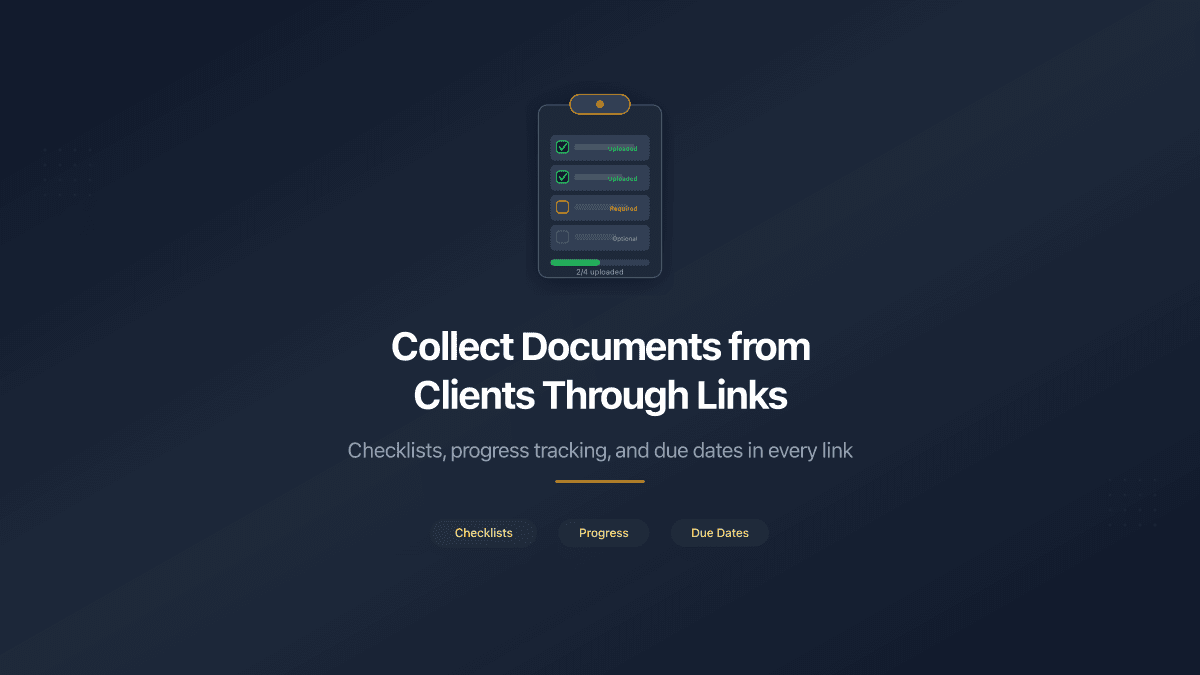
PaperLink Document Requests fix this by embedding a document checklist directly into your shared folder link. The same link that delivers your files to the client now collects their files back - with named items, required/optional flags, progress tracking, and a due date.
A Document Request is a checklist of named items attached to a shareable folder link. Each item represents one document the client needs to upload. The client sees both your shared files and their upload checklist in a single view - no separate portal, no additional account required.
How Document Requests Work
When you create a shareable link for a folder, a new "Document Request" section appears in the link settings. Toggle it on, and you can define a checklist of documents you need from the link recipient.
Each checklist item has:
- Name - what you need ("Certified Passport Copy", "Bank Reference Letter")
- Description - optional clarification ("Utility bill or bank statement, dated within the last 3 months")
- Required or optional - marks whether the item is mandatory or supplementary
- Due date - optional deadline for the entire request ("Documents due by March 30")
The client opens the link and sees two sections: your shared files at the top, and the document checklist below. They click Upload on each item, select a PDF, and submit. The uploaded file appears in your folder alongside your own documents. The checklist updates in real time - you see exactly which items are done and which are still waiting.
Different Stakeholders, Different Checklists
This is where Document Requests diverge from typical file collection tools. The checklist belongs to the link, not to the folder.
A corporate services firm incorporating a company might create three links to the same folder:
| Link | Recipient | Checklist |
|---|---|---|
| For Legal Team | External lawyer | Passport, Proof of Address, Bank Reference, Source of Funds |
| For Accountant | External auditor | Tax Return 2025, P&L Statement, Balance Sheet |
| For Partner | Business partner | No checklist (view-only access to shared files) |
Each recipient sees only their own checklist. The lawyer does not see the accountant's items. The partner sees no upload interface at all - just the shared documents. Uploaded files from all links land in the same folder, so the consultant has everything in one place.
This per-link model mirrors how professional services firms actually operate. Different stakeholders provide different documents. A single shared checklist for everyone forces awkward workarounds - labeling items with recipient names, explaining which items to ignore, or creating separate folders entirely.
You can add a Document Request to an existing link at any time. Open the link settings, toggle Document Request on, add your items, and save. The next time the client opens the link, they will see the checklist.
Checklist Templates Save Repeat Work
Consulting firms, corporate service providers, and accounting practices collect the same document sets repeatedly. A KYC package for company formation. An audit documentation set. An immigration file.
PaperLink Checklist Templates let you define a standard checklist once in Team Settings and reuse it every time you create a new link. Select the template, and all items populate automatically - names, descriptions, required/optional flags. Modify individual items for a specific engagement if needed.
Templates are shared across the team. An OWNER, ADMIN, or MANAGER creates a template called "KYC Company Formation" with 15 items. Every team member can select that template when setting up a new link - no need to remember which documents belong in the package or retype them from scratch.
| Plan | Templates allowed |
|---|---|
| Free | 1 |
| Pro | 3 |
| Business | 10 |
| Data Rooms | 100 |
| Data Rooms Premium | Unlimited |
Each template supports up to 50 items - enough for the most comprehensive due diligence packages.
Progress Tracking and Due Dates
Every link with a Document Request shows a progress indicator in your links list: "3/5" means three of five required items have been uploaded. You see the status of every link at a glance without opening each one individually.
Inside the folder, a dedicated "Document Requests" tab shows all active requests across all links - each displayed as an expandable accordion with the link name, progress, due date, and individual item statuses. Uploaded items show the file name and the uploader's email (captured through your link's email verification gate).
Due dates are optional but useful. When set, the client sees "Documents due by March 30" prominently above their checklist. If the deadline passes, both you and the client see an overdue indicator. Overdue requests do not block uploads - the client can still submit after the deadline. The visual pressure is often enough.
For the firm, due dates turn document collection from an open-ended process into a tracked commitment. Instead of sending three follow-up emails asking "did you send the passport yet?", the client sees a deadline, a progress bar, and a clear list of what is still missing.
Combined with Existing Sharing Controls
Document Requests inherit every security feature from the link they are attached to. No new access mechanism is needed:
| Sharing control | Effect on Document Request |
|---|---|
| Email verification | Client must enter their email before seeing the checklist or uploading |
| Password protection | Client must enter the password first |
| NDA gate | Client must accept the NDA before accessing anything |
| Link expiration | Expired link blocks both viewing and uploading |
| Download permission | Controls whether the client can download your shared files |
If the link requires email verification, every upload is attributed to the client's email address - creating an audit trail of who submitted which document, when, from which IP address. For compliance-heavy industries like corporate services, this is not a nice-to-have. It is a regulatory requirement.
Uploaded files are validated server-side. Only PDF files are accepted in the current version. The server checks the actual file MIME type, not just the extension - preventing non-PDF files from bypassing the upload filter.
Who Uses Document Requests
Corporate services firms collecting KYC packages during company formation. Each director submits their passport, proof of address, source of funds, and bank reference letter through a dedicated link. The formation team tracks progress across 20 concurrent engagements from a single dashboard. Read more about data rooms for corporate services.
Accounting firms gathering tax documents during annual filing. The accountant shares the prior year's return and a reference guide, then attaches a checklist for the current year's documents - bank statements, invoices, payroll summaries. The client uploads at their own pace. The accountant sees who is done and who needs a reminder.
Law firms managing due diligence for M&A transactions. The lead attorney creates a data room with deal documents and attaches a tailored checklist to the counterparty's link - requesting disclosure schedules, IP assignments, employment agreements, and environmental compliance certificates.
Construction and engineering firms in Singapore, Cyprus, or the UAE collecting permits, insurance certificates, and inspection reports from subcontractors. Each subcontractor gets their own link with a checklist matching their trade - electrical, plumbing, structural. The project manager sees completion status across all trades in one view.
Fundraising founders sharing a data room checklist with prospective investors. The deck and financials are shared. The investor's counsel uploads signed term sheets, legal opinions, and wire instructions through the same link.
Start Collecting Documents Through Your Links
Document Requests are available on all PaperLink plans that include Data Room folders. Create a folder, add a shareable link, toggle Document Request on, and define your checklist. Your next client will upload their documents directly - no email, no separate portal, no chasing.